
CSS align-items property
Browser support · legacy reference
 ChromeFully supports
 SafariFully supports
 FirefoxFully supports
 Internet ExplorerFully supports
 EdgeFully supports
 OperaFully supports
Description
CSS align-items property controls the alignment of the child items vertically (along cross/block/column axis).
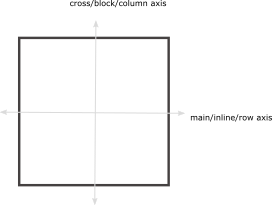
We are using a flex as a container to explain this property.
Syntax
align-items : normal | baseline | center | stretch | flex-start | flex-end
Property values
normalDefault
-
It stretches out the child elements so as to fill the height of the container completely.
- Try it
align-items: normal; baseline
-
It aligns multiple objects (elements) on the normal baseline such as you usually see the placement of elements ontheir own baseline.
- Try it
align-items: baseline; stretch
-
It stretches out all of the objects (elements) in such a way that they occupy the full height of the container.
- Try it
align-items: stretch; flex-start
-
flex-start aligns the content items at the start of flex container.
- Try it
align-items: flex-start; flex-end
-
flex-end aligns the content items at the end of the flex container.
- Try it
align-items: flex-end;
Applicable to
It applies to multicol containers, flex containers, and grid containers.